🔥 LIMITED: 100 Unlimited Lifetime Deals — 15 claimed! Get yours from $149* before it returns to $229. Use code: 100usersdiscount
* 50 licenses: $149 · Next 50 licenses: $179

Documentation
Go back to main docs page
Basics of this plugin
1. What this plugin does
Spline for wordpress plugin originally launched as a 3D animation tool for Spline and has now expanded to support Rive animations as well. It introduces Spline and Rive elements that you can
easily add to your favorite page builders and animate using powerful triggers.
Currently the Spline and Rive element are compatible with Bricks builder,
Elementor and DIvi 5.
Currently the Spline and Rive element are compatible with Bricks builder,
Elementor and DIvi 5.
2. Options page for plugin

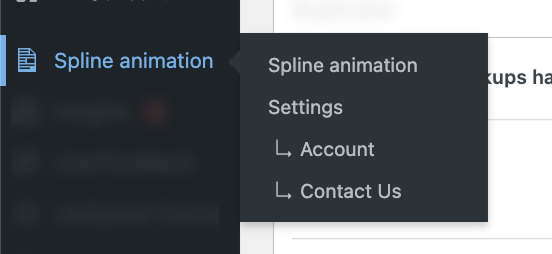
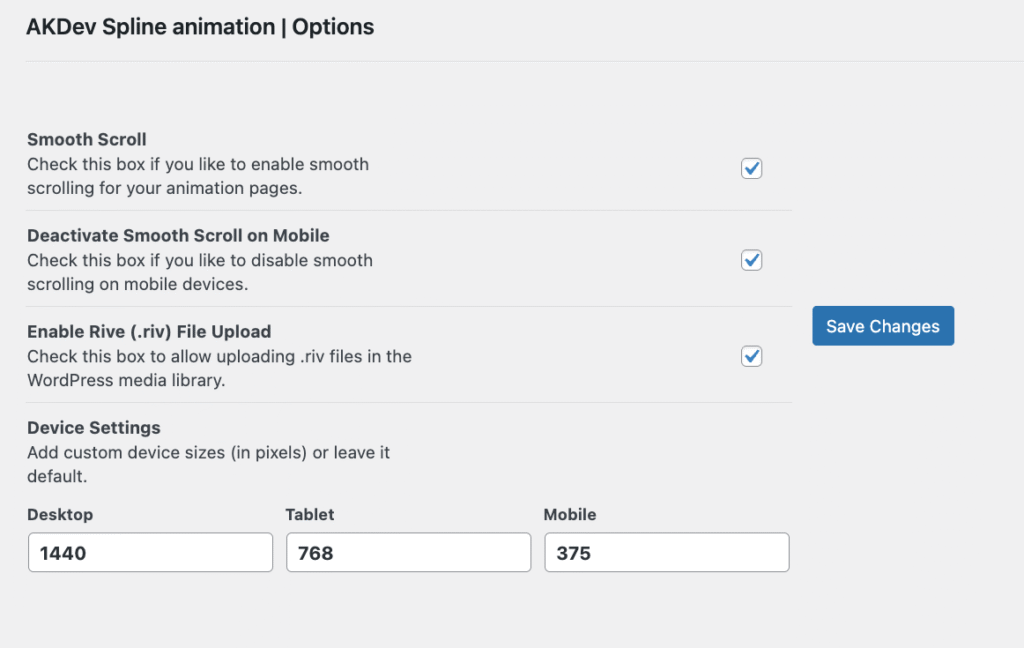
There are several options available in the options page, located at plugin settings
page, which you can visit by clicking settings link in Spline animation of your wordpress dasboard sidebar below is a screenshot of all the available options and the description of that option.
Below is a screenshot of all the available options and the description of each option.
3. Animation builder


To add animation to your spline or rive element, you will head to animation builder.
Visit animation builder from clicking Spline animation from the side bar of your wordpress dashboard.
Visit animation builder from clicking Spline animation from the side bar of your wordpress dashboard.
Once you visit the animation bulder it will look empty as initial state of the animation builder, its empty because initially there is no page is selected where your rive or spline element is added.

Now you will select the page where you've added your Spline or Rive element. Once the page renders, you will see your elements identified by their logos next to their titles.
Select appropriate page and then the page will render like this, and you will notices spline or rive element identified by spline and rive logo besides the title of your element
Select appropriate page and then the page will render like this, and you will notices spline or rive element identified by spline and rive logo besides the title of your element
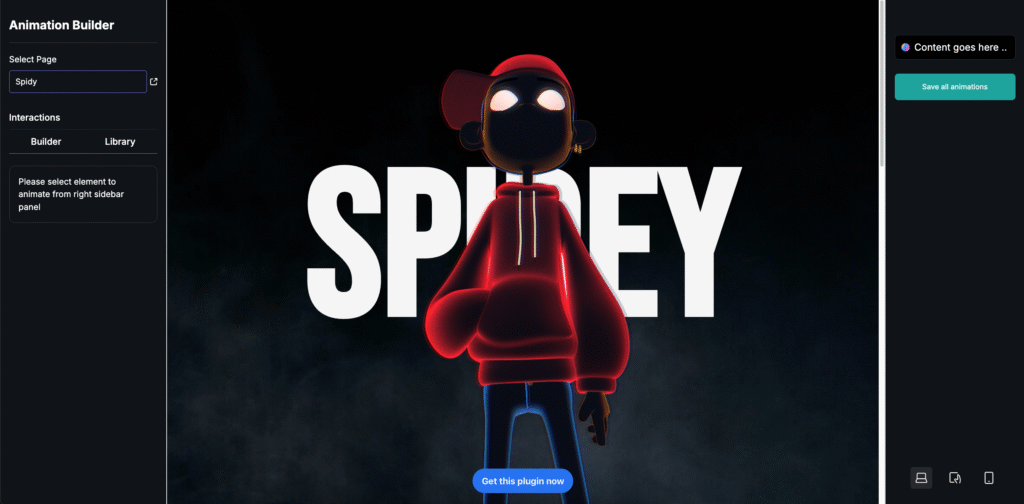
Now to add animation to your spline or rive element you will click on either element from the right side bar, which will enable that item with purple border indicating that item is selected so you can now add animations to it.

There are 5 different triggers for the animations which you can use to create specific animations.
Mouse click
Mouse hover
Page Load
While Scrolling
Mouse move over element
This finish the basics of this plugin, now you can head over to learn more how to use spline or rive element and add animations to it from there specific docs.
Mouse click
Mouse hover
Page Load
While Scrolling
Mouse move over element
This finish the basics of this plugin, now you can head over to learn more how to use spline or rive element and add animations to it from there specific docs.